
Table of Contents
Table of Contents
1Kafka's cloud problem is the storage model, not the ecosystem
Kafka feels heavy in the cloud, but usually not because the Kafka ecosystem is outdated. Kafka clients, protocols, Connect, Streams, admin tools, and operational experience remain some of the hardest parts of a data infrastructure stack to replace. The pressure comes more from Kafka's storage assumptions: brokers are tied to local disks, partitions are tied to specific nodes, durability depends on multi-replica replication, and scaling often means moving data. That model was born in the data-center era. In the cloud, it amplifies storage cost, cross-Availability Zone (AZ) replication traffic, and operational complexity.
Diskless Kafka addresses that pressure. If durable data moves from broker-local disks to shared object storage, brokers can behave more like stateless compute nodes. Scaling no longer has to mean data movement. Failure recovery no longer depends on rebuilding local replicas. Storage capacity is no longer constrained by a single machine or block volume. The catch is easy to underestimate: users want to replace the local disk architecture, not the Kafka ecosystem.
2Diskless Kafka only works if users do not have to rebuild their Kafka ecosystem
When users depend on Kafka, they are not depending on a simple interface for sending and receiving records. They depend on years of Kafka behavior: API versions, error codes, transactions, idempotent producers, Consumer groups, Log compaction, admin tools, Connect, Streams, KRaft metadata behavior, and edge cases across languages and client versions. A system that behaves like Kafka only on the main produce/fetch path may still diverge in compaction, transactions, rebalancing, older clients, or operational tooling.
Those differences eventually become user cost. Does application code need to change? Can existing SDKs keep running? Will Strimzi, Connect, Streams, monitoring, and operational scripts continue to work as before? During a gray migration, if the new system and Kafka behave differently at some boundary, the problem appears in the application, not on the architecture diagram. The cost advantage of Diskless Kafka only holds when the Kafka ecosystem stays intact. Otherwise, infrastructure savings get consumed by migration, testing, and long-term maintenance risk.
3Long-term compatibility means not rewriting Kafka's fastest-changing layer
Compatibility also has to keep moving. Most Apache Kafka capability changes happen in the compute layer: protocol APIs, coordinators, transactions, Consumer groups, KRaft, Admin APIs, new KIPs, and bug fixes all concentrate in the upper semantic layers. The storage layer is still important, but it is comparatively stable. It is also where cloud cost, elasticity, and data movement problems are most concentrated. That creates a clear architectural choice: if a Diskless Kafka system reimplements the Kafka API in Go or C++, it puts itself in the fastest-changing and most semantically complex part of Kafka.
Kafka's codebase shows why this boundary matters. Apache Kafka has evolved for more than 10 years, with more than 1,000 contributors and 1,019 KIPs. In one snapshot from February 23, 2024, Kafka had close to 886,000 lines of code. The compute layer that handles API protocols and upper-layer features accounts for about 98% of the codebase. The storage layer responsible for durable message storage accounts for about 1.97%, or 17,532 lines of code. If the goal is to make Kafka cloud-native, rewriting the compute layer means chasing upstream in the most complex and fastest-changing area. Replacing the storage layer focuses the change where the cloud problem is concentrated and the boundary is clearer.
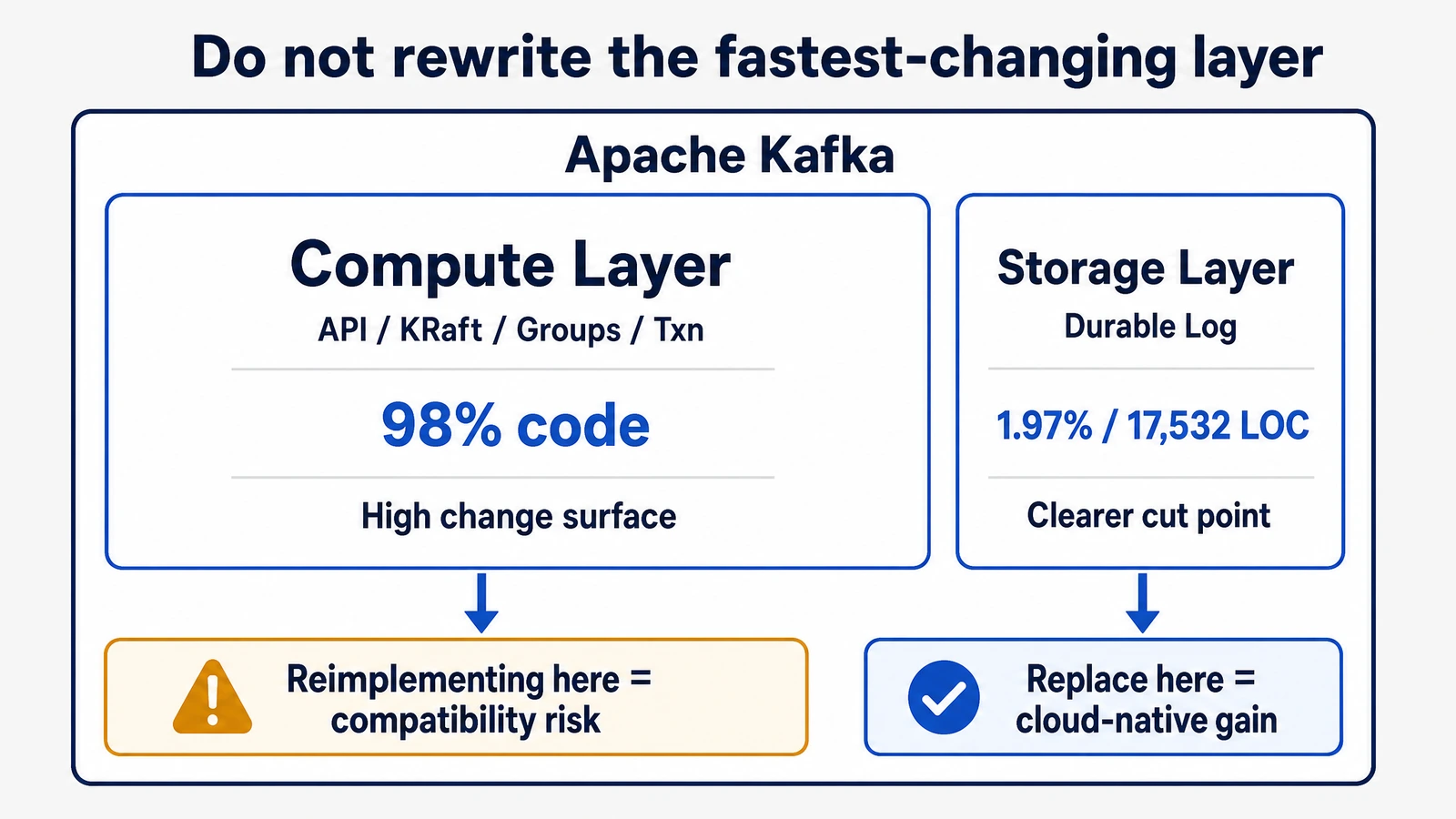
Reimplementing the API is possible, but the long-term cost is high. When upstream Kafka adds APIs, changes existing API behavior, or fixes edge-case bugs, a reimplementation needs new development, testing, and validation. The more difficult cases are not whether an API exists. They are subtle differences in how the same request behaves across errors, retries, version negotiation, transaction state, and group rebalancing. For users, these differences are hard to evaluate and even harder to discover after a production migration.
4Why AutoMQ treats compatibility as a first principle
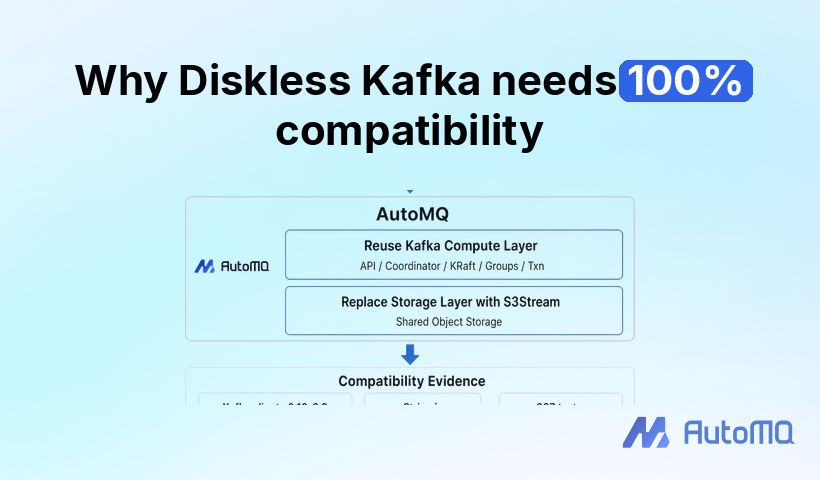
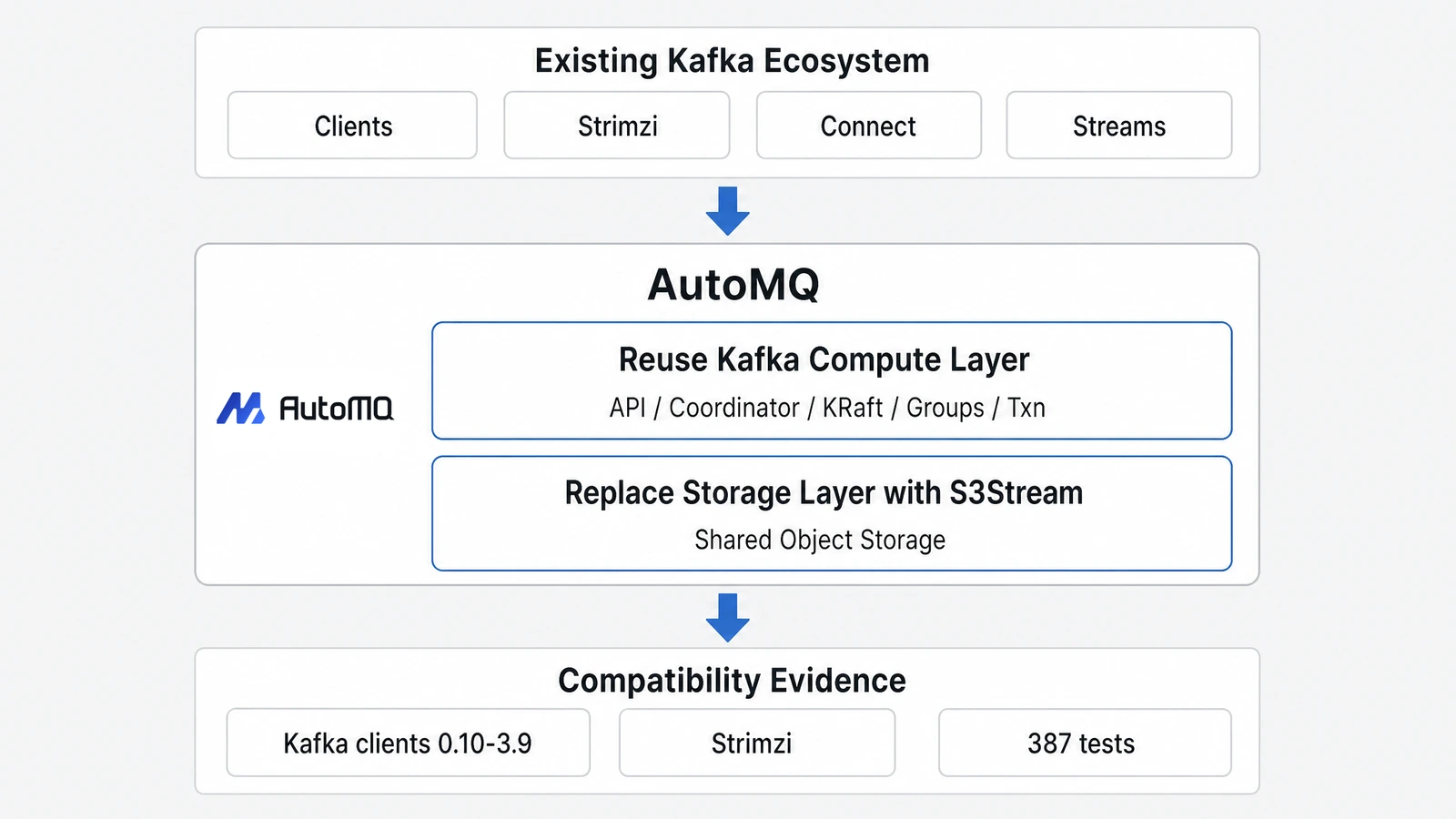
A more stable boundary is to replace only the storage layer. The Kafka compute layer continues to handle Kafka protocols and semantics, while the storage layer solves the cost and elasticity problems caused by broker-local disks. This is the path taken by AutoMQ, a Kafka-compatible cloud-native streaming system: instead of reinventing the Kafka API, AutoMQ keeps the Kafka ecosystem intact and replaces the local log storage layer with shared object storage.
AutoMQ's focus on compatibility is not an after-the-fact positioning statement. It comes from real production constraints. When customers migrate Kafka, their biggest concern is often not whether the architecture diagram looks elegant. They need to know whether existing applications, client versions, operators, tools, and team experience can keep working. Compatibility directly determines migration risk. AutoMQ's architecture reflects that constraint: Kafka continues to handle protocols, coordinators, KRaft, transactions, and Consumer groups, while S3Stream replaces the local Log storage layer.
Code reuse is only part of the benefit. The larger effect is that compatibility risk stays inside a more reasonable boundary. AutoMQ's protocol compatibility path reuses the approximately 98% of Kafka code that belongs to the compute layer and concentrates the major changes in the storage layer. To let the upper Kafka logic continue to see familiar Log and Segment semantics, AutoMQ uses mechanisms such as storage aspects and Segment/Slice mapping to absorb the underlying storage change. Cloud-native storage solves the cloud storage problem, while the Kafka compute layer continues to handle Kafka's most complex semantics.
In production, compatibility is not an abstract promise. It is a set of capabilities teams use every day.
| Compatibility dimension | Why it matters | AutoMQ's path |
|---|---|---|
| Core codebase | API and semantic changes mostly happen in the compute layer, so reimplementation must keep chasing upstream | Reuse the Kafka compute layer and replace only the storage layer |
| Transactional / Compacted Topics | These are where production systems often depend on edge semantics | Preserve Kafka upper-layer semantics instead of simulating them |
| Strimzi / Kubernetes operations | Platform teams depend on existing operators and operating paths | Support multi-node cluster deployment through the Strimzi Operator |
| Client SDKs | Client versions and language ecosystems determine migration cost | Support Kafka clients 0.10 to 3.9 across mainstream languages |
For production teams, "Kafka API support" is not enough. Teams that run Kafka on Kubernetes care whether Strimzi still works. Teams with multi-language applications care whether older clients can still connect. Workloads that use transactions or Log compaction care whether boundary semantics remain consistent. These questions are closer to real migration risk than any architecture diagram.
Testing needs to answer the same question. AutoMQ has passed 387 native Apache Kafka system test cases in KRaft mode, covering produce and consume, Consumer management, Topic compaction, client compatibility, Partition reassignment, Rolling restart, Streams, and Connect. As Kafka behavior becomes more complex, Diskless Kafka must do more than achieve one-time compatibility. It must continue to track the upstream Kafka ecosystem.
5100% Kafka compatibility determines whether Diskless Kafka is production-ready
Kafka may feel heavy in the cloud, but most teams do not want to leave Kafka. They want to keep Kafka's protocols, semantics, tooling, and operational knowledge while removing the cost and elasticity burden of the local disk architecture. 100% Kafka compatibility matters because it determines whether Diskless Kafka is a smooth architectural upgrade or a high-risk platform replacement.
If you are evaluating Kafka cost reduction, elastic scaling, or a move from traditional Kafka to a Diskless architecture, start with compatibility. Check whether existing clients can connect directly, whether operators and tools still work, and whether transactions, compaction, Consumer groups, Connect, and Streams behave as expected. You can also create a test environment with AutoMQ Cloud and validate compatibility with your existing Kafka applications and toolchain.


