
Table of Contents
Table of Contents
1Introduction
Today, we are officially announcing the launch of Managed Connector capabilities for AutoMQ BYOC (Bring Your Own Cloud) . As a next-generation Diskless Kafka built on S3, AutoMQ has already implemented decoupled storage and compute along with Zero Cross-AZ (Availability Zone) replication at the storage layer, significantly driving down the TCO of Kafka on the cloud. With the introduction of managed connector capabilities, we are further lowering the barrier to entry for data integration: on public clouds such as AWS, you can now construct data pipelines from data ingestion (Connect) to streaming storage (AutoMQ) in a streamlined fashion through a unified control plane. Through deep product-level integration, we have reduced the complexity of building production-grade CDC pipelines from "expert-level" to "entry-level."
2Challenges: The "Hidden Traffic Costs" and Configuration Barriers in CDC Pipelines
In cloud-native architectures, Kafka Connect serves as the critical bridge between databases and Kafka. Particularly in high-throughput CDC (Change Data Capture) scenarios, users often face two core challenges that keep costs and operational overhead high:
2.1The Unavoidable "Hidden Tax" of Cross-AZ Traffic
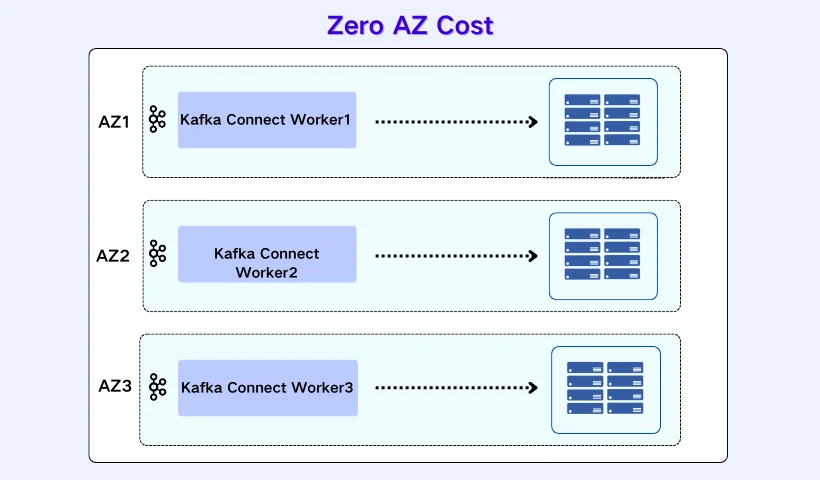
By leveraging an S3-based shared storage architecture, AutoMQ can completely eliminate cross-AZ traffic fees on the server side during data writes. However, to achieve true "End-to-End Zero Cross-AZ" data flow, the client side (e.g., Kafka Connect Connectors) must also be AZ-aware or follow specific routing strategies. In traditional self-managed Connector deployments, worker nodes are typically launched with default configurations, leaving them "blind" to the server-side network topology. Consequently, even when AutoMQ is architecturally optimized for local writes, these "topology-unaware" Connectors may still dispatch terabytes of CDC traffic to Brokers in different AZs. This incurs substantial Regional Data Transfer charges, effectively nullifying the cost advantages provided by the Diskless architecture at the storage layer.
2.2The Exorbitant Costs of Self-Managed Connectors
In traditional deployment models, tuning a Connector to be both stable and cost-effective is essentially a high-barrier "DIY O&M package":
-
Meticulous Configuration: You must sift through extensive documentation to manually configure Rack Awareness, partition Bootstrap addresses by AZ, and meticulously weigh the trade-offs of various compression algorithms.
-
Cluster and Infrastructure Maintenance: It requires spinning up and maintaining the Connect clusters yourself—deploying in K8s, configuring VPCs and Security Groups, and setting up monitoring and alerting—all while managing the ripple effects of scaling and version upgrades.
-
Hidden Costs and Invisible Risks: Even if every preceding step is executed correctly, the devil is in the details. A single omitted or misconfigured client parameter can bypass AutoMQ’s architectural Zero Cross-AZ advantages, causing traffic to revert to costly cross-AZ routing. Often, this isn't discovered until a massive "bill shock" arrives at the end of the month.
It is precisely because self-managed Connectors involve such intangible yet costly complexities that many teams are now evaluating the shift to a Fully Managed platform.
3Deep Integration: Shifting Complexity to the Platform, Providing Simplicity to the User
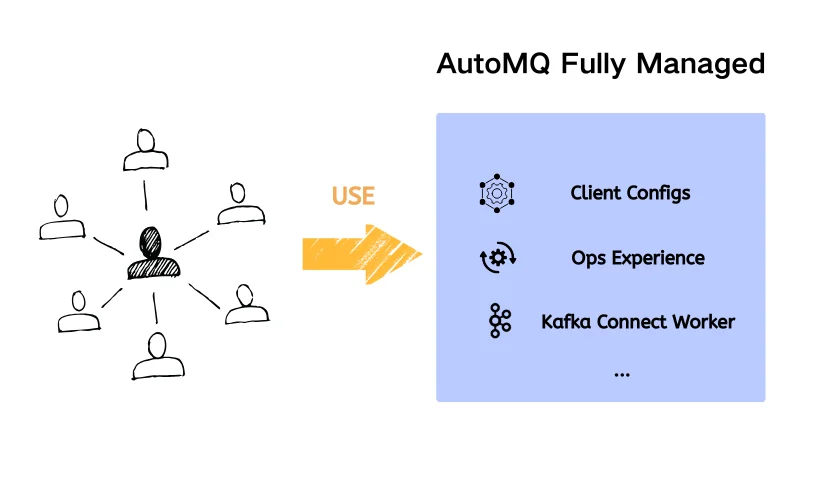
The core value of AutoMQ Managed Connectors lies in leveraging the Unified Control Plane's contextual awareness to achieve deep binding and automated adaptation between Connectors and AutoMQ clusters.
Through sophisticated product design, we have automated the complex "how to correctly connect to AutoMQ" challenge on the platform side:
3.1Context-Aware Configuration Injection
In the AutoMQ console, a managed connector natively understands all metadata of its target AutoMQ cluster (endpoints, authentication methods, version features, etc.). When a user creates a connector, the system automatically generates and injects a Client Configuration optimized for AutoMQ best practices. Whether it’s basic connection parameters or specialized configurations required for AutoMQ Zero Cross-AZ features, the platform handles it all in the background. This means users don't need to grasp low-level parameter details—the connector is in its "optimal state" from the moment it starts.
3.2Seamless Connectivity in a Unified Network Environment
Managed Connectors are deployed within the same VPC environment as the AutoMQ cluster. The platform automatically handles all Connectivity configurations, sparing users from navigating complex VPC Peering or Security Group rules. By residing in the same environment, secure and high-performance connectivity is established natively.
3.3One-Stop Full Lifecycle Management
We have converged connector creation, configuration, monitoring, and log querying into the AutoMQ console. This is more than just UI consolidation; it is the unification of the entire O&M (Operations and Maintenance) workflow. Users can close the loop on all operations within a single pane of glass, significantly reducing the hidden costs of building and maintaining CDC pipelines.
4Product Experience: A Four-Step Wizard for Single-Pane Control
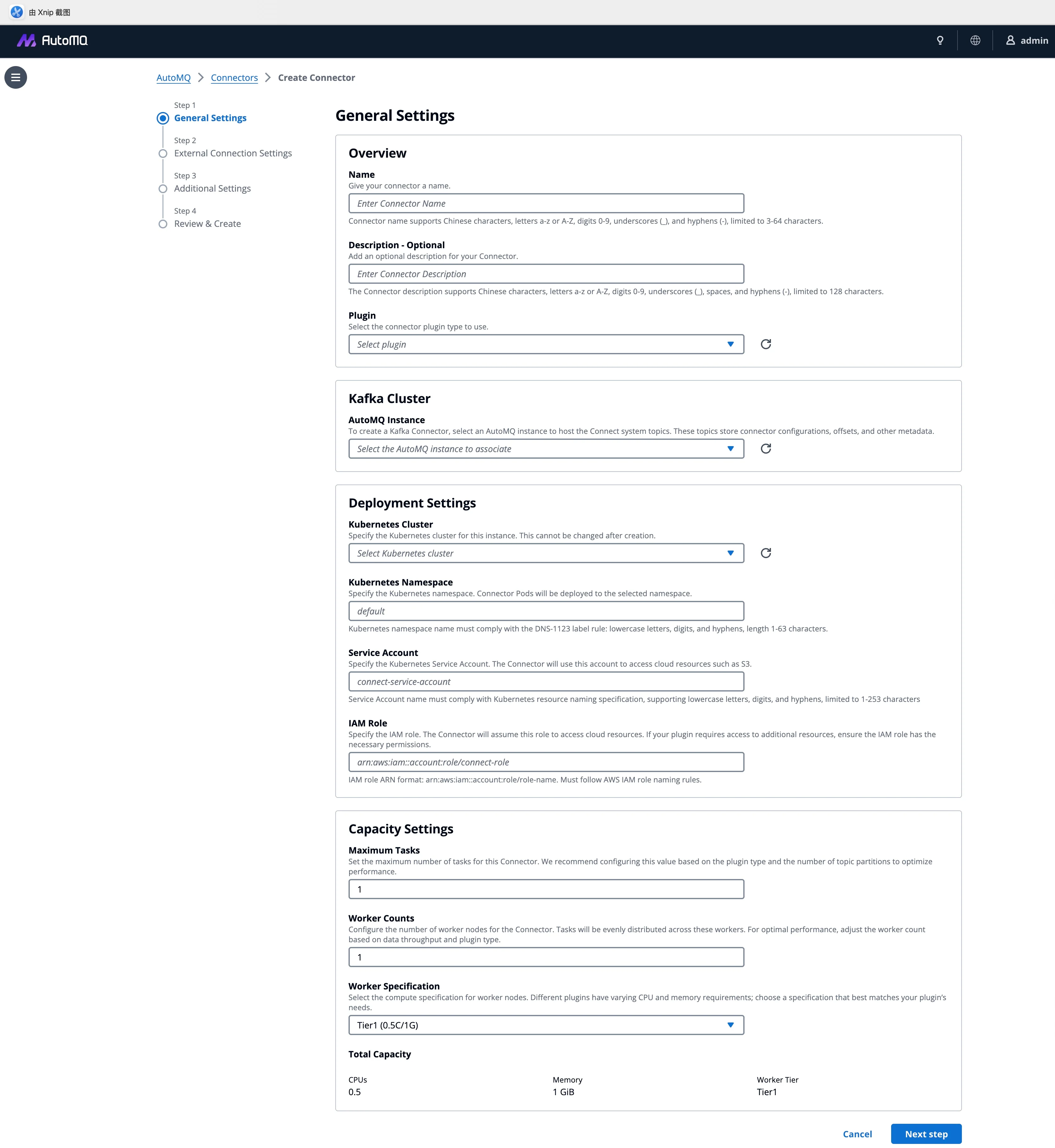
We have encapsulated complex integration logic into a standardized four-step wizard, allowing CDC pipeline construction to focus back on core business logic.
4.1General Settings: Automated Environment Adaptation
This is the starting point of integration. Users simply select the target AutoMQ instance and Kubernetes cluster, and the system automatically locks in the correct network context and IAM roles. "Selection is adaptation" —complex connection parameter configurations are completed automatically in the background.
4.2Connection Configuration: Balancing Compatibility and Usability
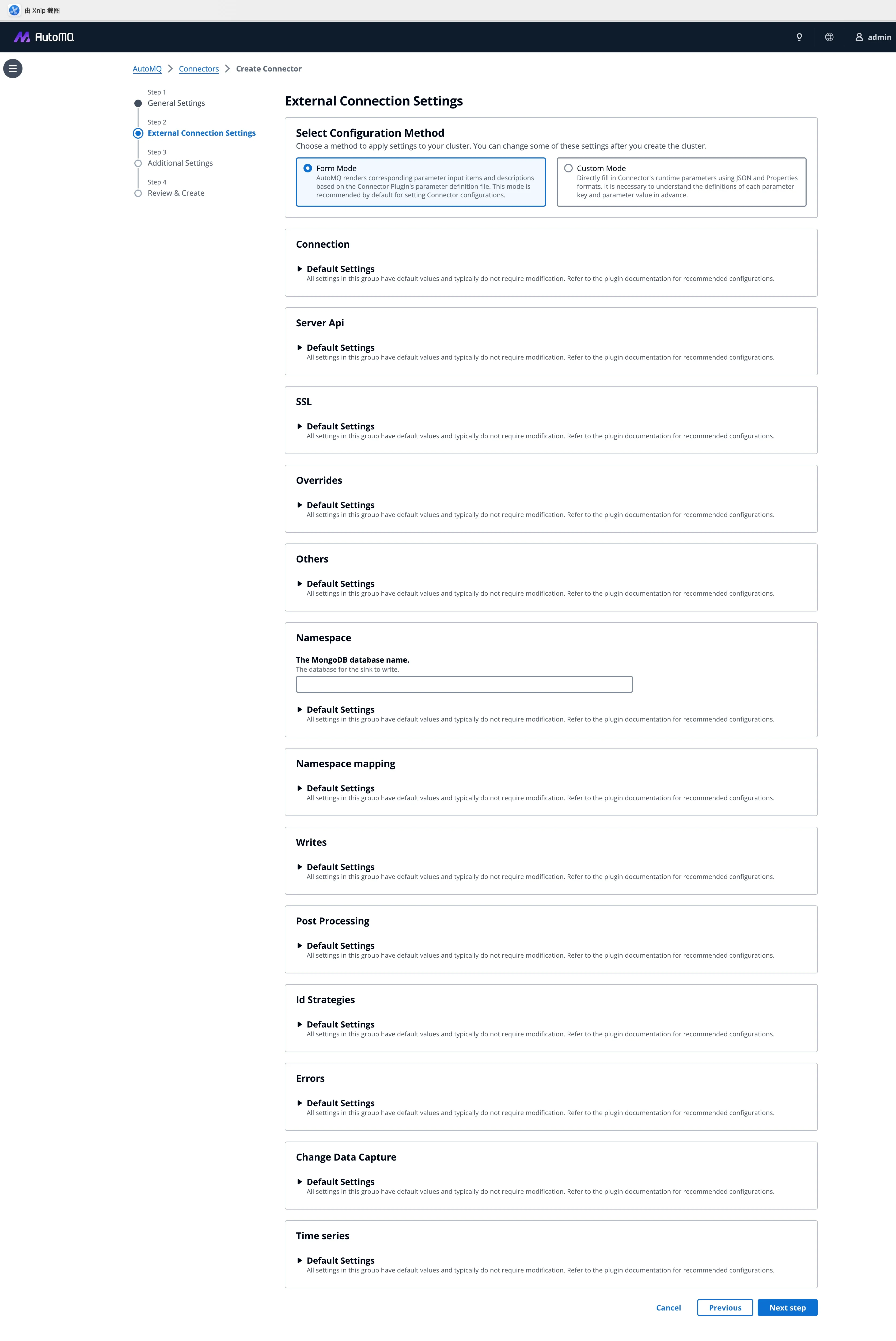
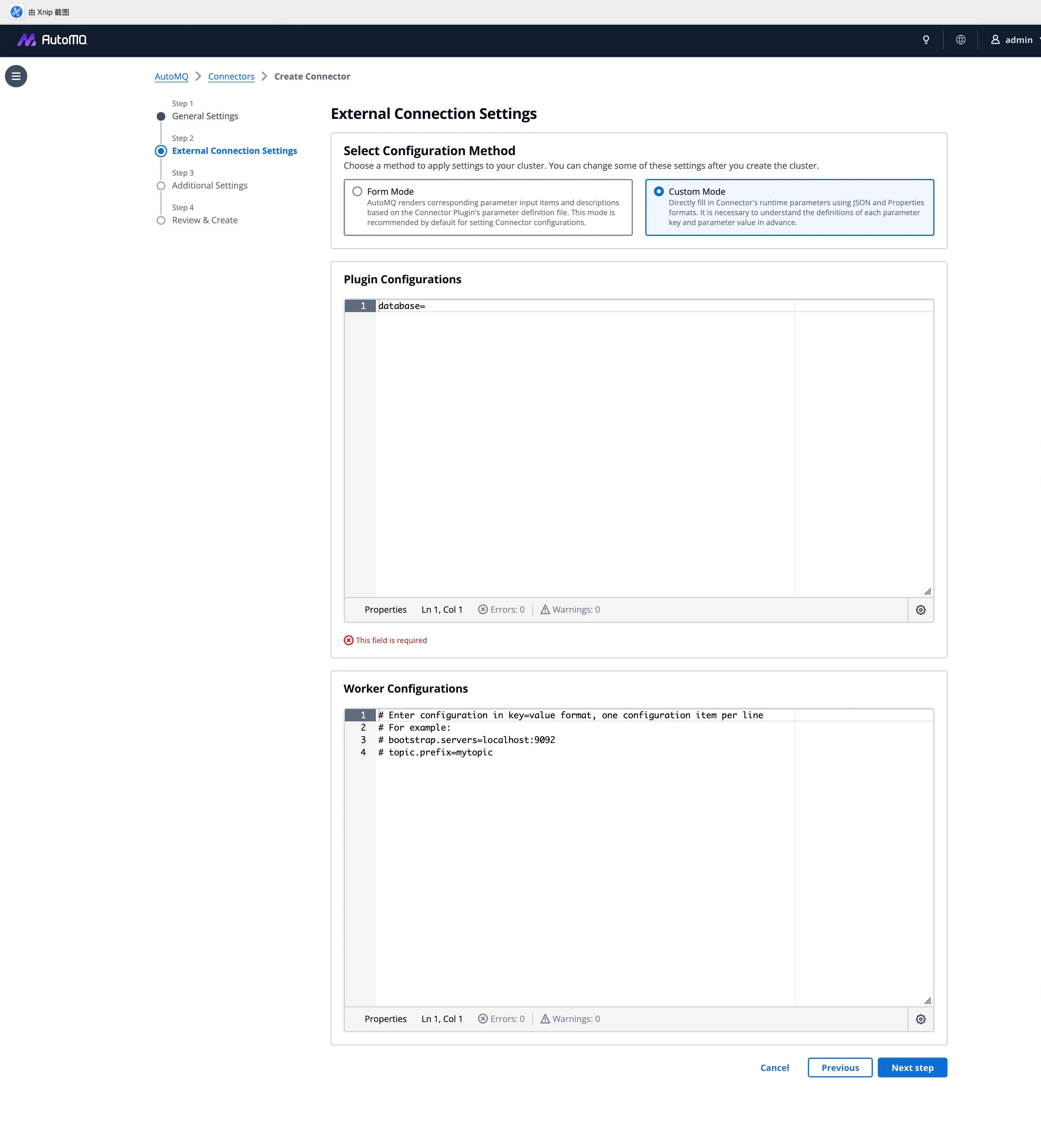
We fully support the standard Kafka Connect plugin ecosystem and provide built-in CDC plugins like Debezium. To cater to diverse user habits, we offer flexible configuration modes:
Form Mode: Optimized for standardized plugins like the S3 Sink, this mode visualizes parameters to significantly reduce configuration errors.
Custom Mode: Designed for complex scenarios such as Debezium, it allows users to paste JSON or Properties directly, ensuring the seamless migration of existing workloads.
4.3Observability: Breaking Down Data Silos
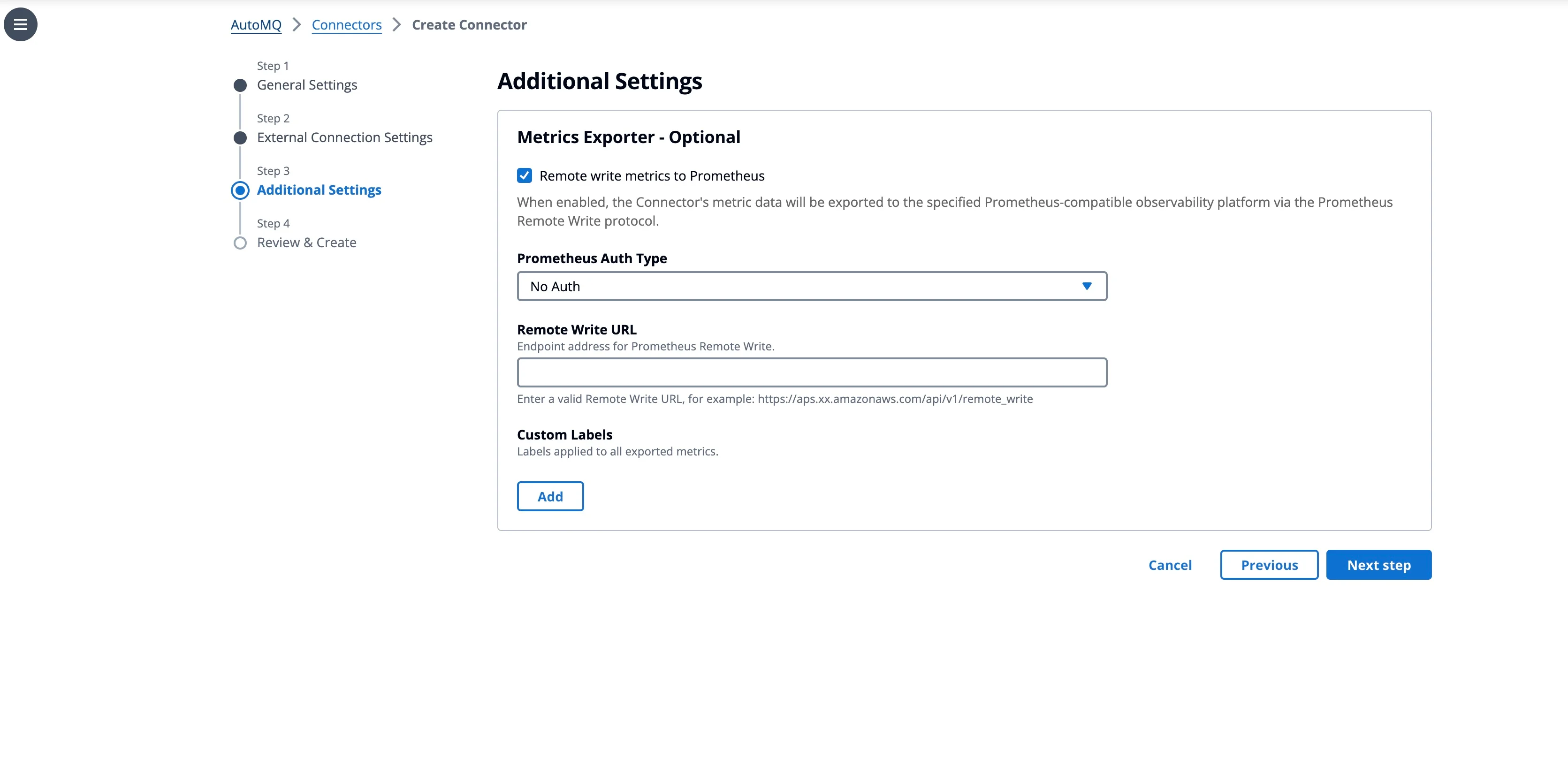
Under "Advanced Settings," we provide built-in, standardized observability integration. By simply enabling Remote Write, connector metrics are streamed directly to your Prometheus/Grafana stack. This eliminates the need for deploying additional Exporters, effectively putting an end to "black-box" operations.
4.4Deployment and Operations: End-to-End Visibility
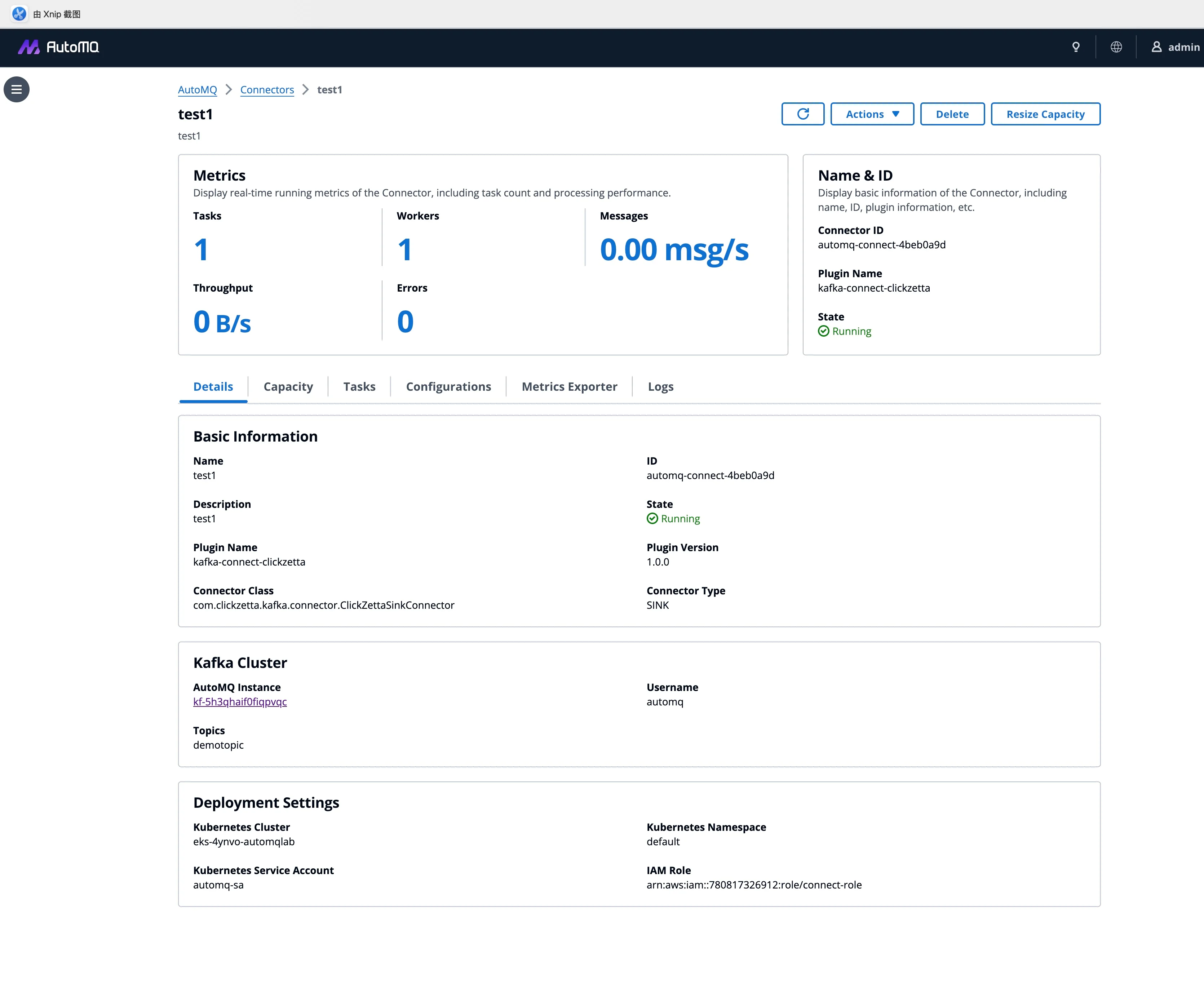
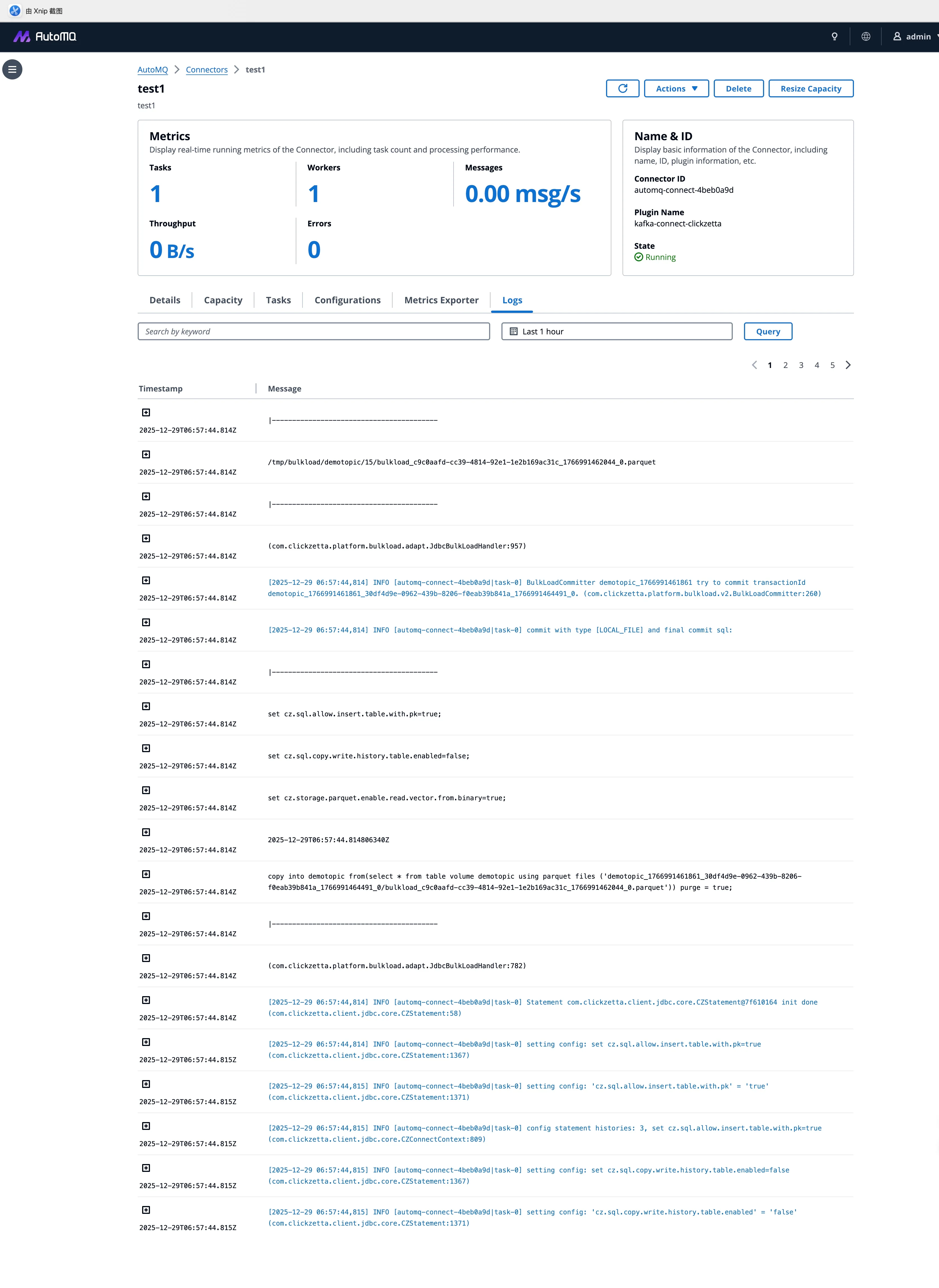
Once submitted, AutoMQ takes over the entire deployment workflow. Post-deployment, users are provided with an in-depth operational dashboard:
- Real-time Throughput Monitoring:
- Centralized Log Querying: Eliminate the need to access K8s via CLI. You can query aggregated logs from all Worker nodes directly within the console to rapidly pinpoint and troubleshoot business anomalies.
5Summary
The launch of AutoMQ Managed Connector capabilities marks a pivotal step in AutoMQ’s evolution from a standalone stream storage engine to a comprehensive cloud-native streaming data platform.
By deeply integrating Connectors with AutoMQ clusters at the product level, we have achieved:
Ultra-Simplified CDC Pipeline Construction: Users no longer need to navigate tedious client parameters or complex network configurations. A production-grade pipeline can be initialized via a straightforward four-step wizard.
Best Practices by Default: Through automated configuration injection, connectors natively align with AutoMQ’s core features, such as Zero Cross-AZ , effectively eliminating risks and performance bottlenecks caused by misconfiguration.
Unified Governance Experience: From Brokers to Connectors, the platform provides full-stack, closed-loop management within a single unified console.
If you are looking for a data integration solution that offers rapid deployment and extremely low O&M costs, we invite you to consult our official documentation and experience this new feature within the AutoMQ BYOC environment.


